Custom Positions in your org chart
How and when to use custom positions
Custom positions are used in TeamOrgChart to indicate different position types, such as an assistant, coordinator or a joint-manager.
Chart with no custom position defined.
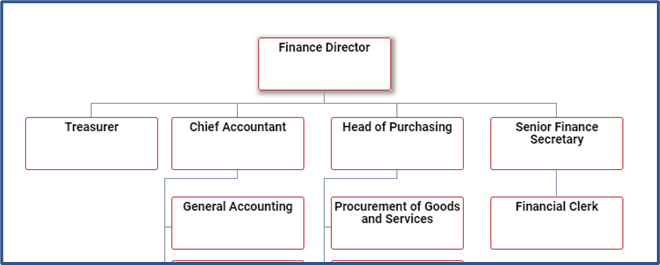
“Treasurer” defined as an assistant.
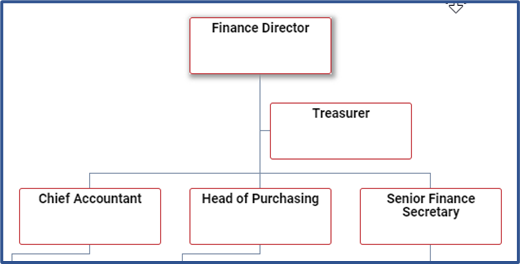
“Treasurer” defined as a coordinator.
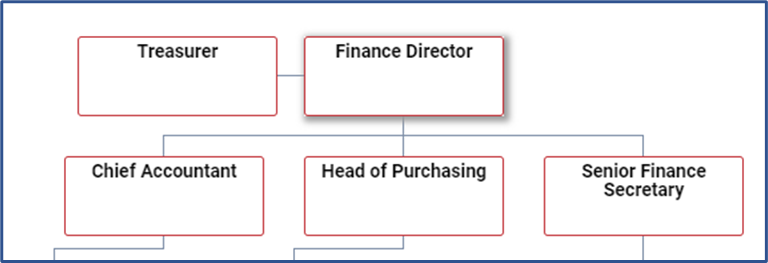
“Treasurer” defined as a joint manager.
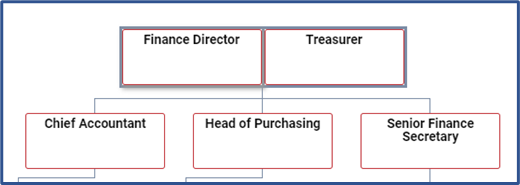
There are three ways to define custom positions with TeamOrgChart.
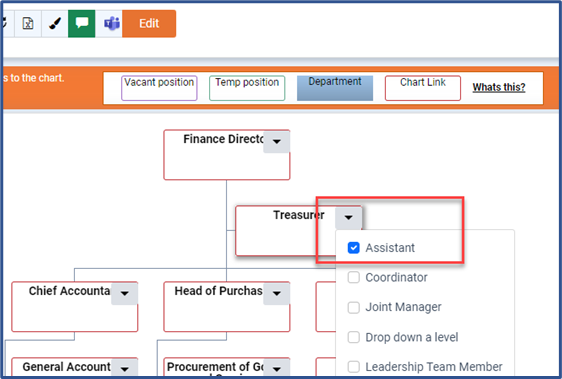
Via the Context Menu
- Place the chart in Edit Mode ( CTRL+E ).
- Open the context menu of the person you wish to define as a custom position.
- Select or deselect the position type from the menu.
Via the Side Panel
- Place the chart in Edit Mode ( CTRL+E ).
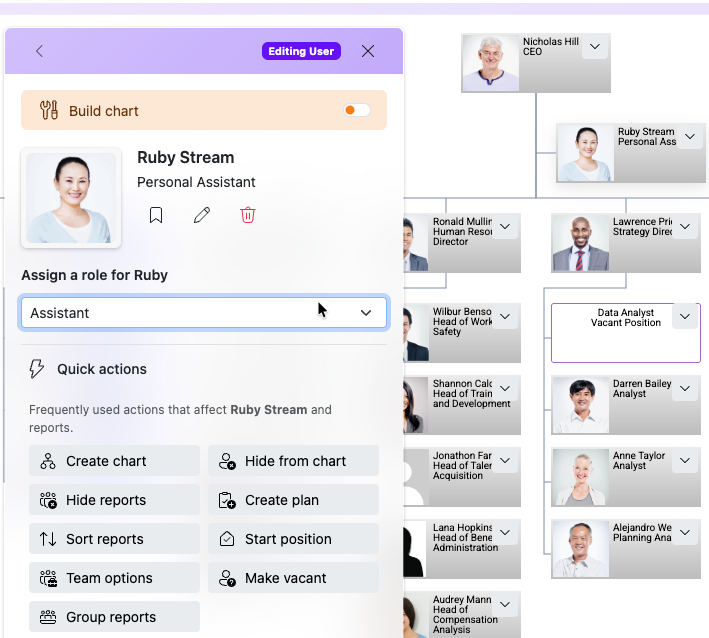
- Select the person on the chart who you wish to define as a custom role.
- Select the role from the list on the side panel.
From the Custom Positions Page
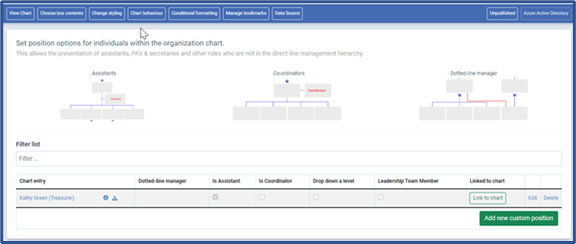
- From the side panel, select the Positions page.
- Then Create, edit or delete custom positions in the table.
Note: Custom positions are preserved between data re-loads.
Uploading a new data sheet when using an Excel based chart or when the chart refreshes from Entra Id will not impact the custom positions.
Recommended Steps
arrow_circle_right
Identitfy staff members who should have a custom position
Learn More
Use custom positions(c) TeamImprover.Com